
UNIT 12
Date: 2015-10-07; view: 734.
Home –work

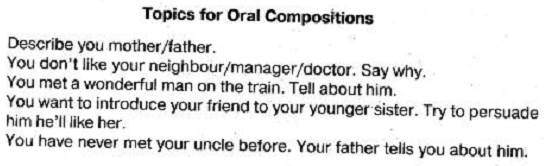
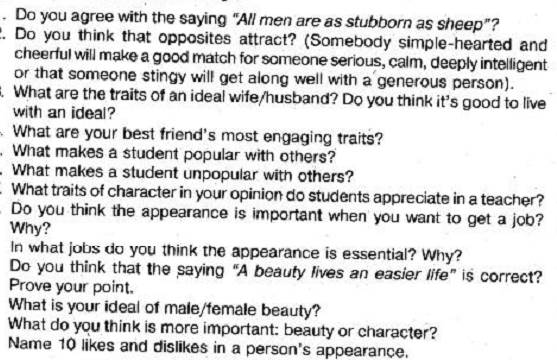
Topics for discussions:
FLASH MEMORY
TASK 1
You are going to read an article about flash memory. Decide if the statements 1-5 are true or false.
1) Originally the amount of memory in computers was enormous.
2) Commonly flash memory can hardly come in a removable format.
3) Disc-based media options are left behind by the possibilities of flash media.
4) Memory cards are vulnerable as they are too light.
5) Card readers provide far greater opportunities.
Years ago, the amount of memory in the computer would not fit in less than a room the size of the average living room. You probably wouldn't be able to afford such a sophisticated machine back then, either. However, technology is always making things smaller and cheaper. Now, it is quite possible to store all of your pictures, videos, music, etc. in one small hard drive. However, hard disk drives like the ones in most modern computers are only optimized for large amounts of somewhat non-portable data. These drives can have quite slow read/write rates that make for slow transfers of your data. In addition, unless you use one especially designed for portability, moving this type of memory around can cause damage and data corruption. There are definitely more appropriate options for portable memory, which is where flash memory comes in.
Flash memory is the type of memory commonly found in today's most popular portable devices such as cell phones, cameras, and music players. In most cases, this memory also comes in a removable format, most commonly in the form of a memory card. These cards come in several different configurations and designs and they range in memory capacity from 32 megabytes to 16 gigabytes. The most common flash memory card is the SD (Secure Digital) card, which fits in many cameras, music players, and camcorders.
What's great about flash media is that is has a much faster read/write rate than disk-based media options. You can load pictures, videos, and songs onto the memory card and take it with you on the go. A memory card rarely weighs more than a coin, and they are often as thin as a few sheets of stacked paper. Most of these cards are easily shoved in a pocket or purse and they are much more difficult to damage. This cuts the risk of a loss of data considerably. The ideal setup consists of a memory card that is compatible with multiple devices so that you can carry the same data everywhere you need it. This is sometimes accomplished with the aid of card adapters. For example, this memory card is designed for small portable devices but comes with an adapter so that it can be used with some other larger devices as well.
You may wonder, with all the different configurations and designs that these cards come in, how one goes about actually putting their data on one of these cards. That task is made simple with the use of a card reader. These devices connect to a computer through a USB connection, which is all but standard in today's computers, and is made to read many different memory card formats. If your computer does have a built in memory card reader, such as an SD card reader, some computers can even use the attached flash memory as RAM, which can speed up the computer significantly.
TASK 2
Find Russian equivalents to the following words and word combinations from the article in TASK 1.
1) slow read rates
2) transfer of the data
3) designed for portability
4) data corruption
5) portable memory
6) removable format
7) load pictures
8) multiple devices
9) card adapter
10) attached flash memory
TASK 3
Translate the following words and word combinations into English (TASK 1).
1) сложное устройство
2) жесткий диск
3) несъемный носитель данных
4) сотовый телефон
5) сократить риск
6) идеальная настройка
7) совместимая карта памяти
8) встроенная память
9) оперативная память
10) объем памяти
TASK 4
Read the text below and decide which word A-D best fits each place.
USB flash drives are often used for the same purposes for which floppy disks or CD-ROMs were used. They are smaller, faster, have thousands of times more capacity, and are more 1)__________ and reliable because of their lack of 2) __________ parts.
USB Flash drives use the USB mass storage 3) __________, supported natively by modern 4)__________ systems. USB drives with USB 2.0 support can 5) __________ more data and transfer faster than a much larger optical disc drives like CD-RW or DVD-RW drives and can be read by many other systems such as the Xbox 360, PlayStation 3, DVD players and in some upcoming mobile smartphones.
Nothing moves 6) __________ in a flash drive; the term drive persists because computers read and write flash-drive data using the same system commands as for a mechanical disk drive, with the storage 7) __________ to the computer operating system and user iterfaceprinted circuit board carrying the circuit elements and a USB connector, insulated electrically and 8) ________ inside a plastic, metal, or rubberized case which can be 9) __________ in a pocket or on a key chain, for example. The USB connector may be protected by a removable cap or by retracting into the body of the drive, 10) __________ it is not likely to be damaged if unprotected. Most flash drives use a standard type-A USB connection allowing plugging into a port on a personal computer, but drives for other interfaces also exist.
| 1) 2) 3) 4) 5) 6) 7) 8) 9) 10) | A hardy A changing A sample A operating A own A quickly A appearing A defended A insert A despite | B permanent B movable B code B generating B have B physically B being B kept B adapted B instead | C lastly C travelling C standard C working C store C mechanically C turning up C been C put C although | D durable D moving D level D assistive D possess D fast D coming D protect D carried D hence |
TASK 5
Fill the gaps with ONE word.
We store and transfer all kinds of files 1) __________ our computers -- digital photographs, music files, word processing documents, PDFs and countless other forms of media. But sometimes your computer's hard drive isn't exactly 2) __________ you want your information. 3) __________ you want to make backup copies of files 4) _________ live 5) _________ of your systems or if you worry about your security, portable storage devices that use a type of electronic memory called flash memory may be 6) __________ right solution.
Electronic memory comes in a 7) __________ of forms to serve a variety of purposes. Flash memory is used for easy and fast information storage 8) __________ computers, digital cameras and home video game consoles. It is used more 9) ___________ a hard as RAM.
TASK 6
Grammar. Put the words given in capitals into a suitable grammar form
Flash memory is a non-volatile computer storage chip that can electrically ...1...and ...2.... It is primarily used in memory cards, USB flash drives, MP3 players and solid-state drives for general storage and transfer of data between computers and other digital products. It is a specific type of EEPROM (electrically erasable ...3... read-only memory) that is erased and programmed in large blocks; in early flash the entire chip had to be erased at once. Flash memory costs far less than byte-programmable EEPROM and therefore has become the dominant technology wherever a significant amount of non-volatile, solid state storage ...4.... Example applications include PDAs (personal digital assistants), laptop computers, digital audio players, digital cameras and mobile phones. It ... also ...5... popularity in console video game hardware, where it is often used instead of EEPROMs or battery-powered static RAM (SRAM) for game save data. Flash memory is non-volatile, meaning no power is needed to maintain the information ...6... in the chip. In addition, flash memory offers fast read access times (although not as fast as volatile DRAM memory ...7... for main memory in PCs) and ...8... kinetic shock resistance than hard disks. These characteristics explain the popularity of flash memory in ...9... devices. Another feature of flash memory is that when packaged in a "memory card," it is extremely durable, ...10... able to withstand intense pressure, extremes of temperature, and even immersion in water.
1) erase
2) reprogram
3) program
4) need
5) gain
6) store
7) use
8) good
9) port
10) be
TASK 7
Render the following Russian article into English.
| <== previous lecture | | | next lecture ==> |
| Digital video broadcasting – handheld | | | Заменит ли флэш-память жесткие диски? |